Hey y’all,
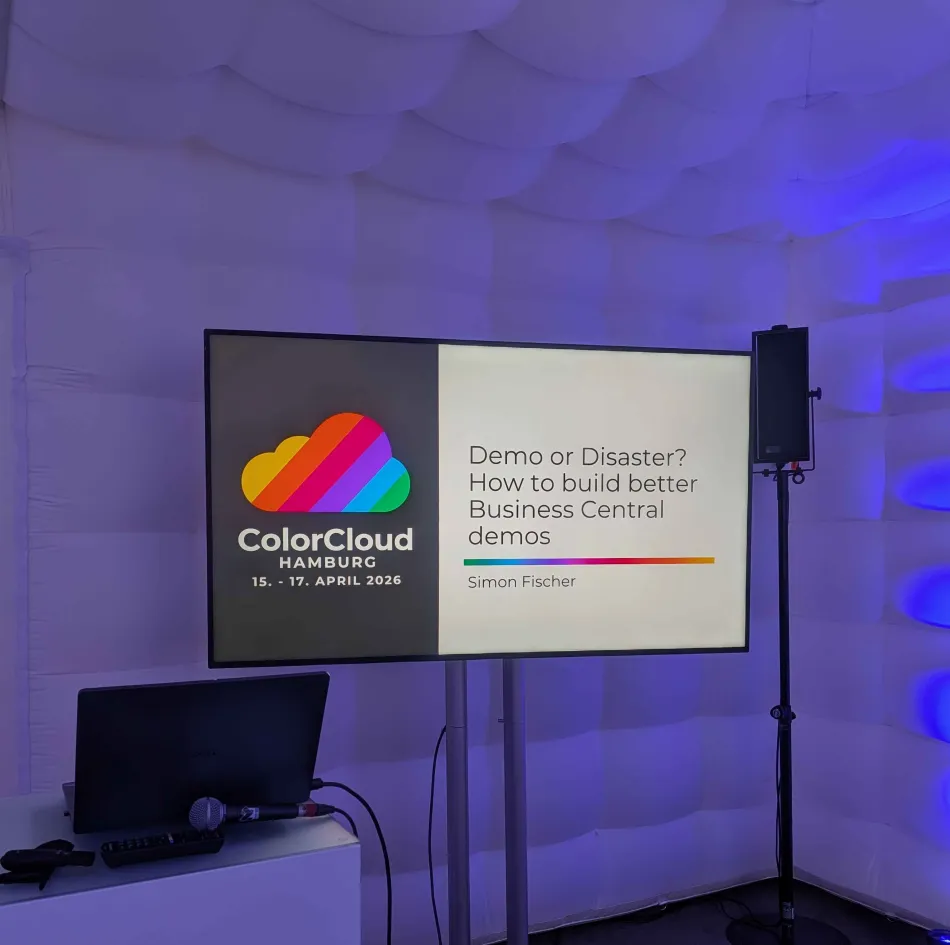
I’m back from Color Cloud in Hamburg and – as usual – buzzing with that post-conference energy. Slightly different then the last two editions, because it was my first solo session on stage. No safety net, no co-speaker, just me, my slides and a demo. Spoiler: I survived 😅
Here’s the recap, the context, and – at the bottom – a link to the open-source tool I showed.
First time solo
Last year Tobias and I shared the Color Cloud stage for the Kiota-for-AL talk. Having a co-speaker is great: if your brain freezes, someone else picks up the thread. This time it was just me for 45 minutes (actually I think it was a bit less, because I was so excited that I spoke faster than what I trained 😆), and a Business Central instance.
The problem I wanted to talk about
The session title was “Demo or Disaster? How to build better Business Central demos” – and judging by the attendance for such a niche topic, demo data pain is a real thing. Seems that I’m not the only one spending days preparing demo environments, juggling multiple sandboxes, or – worst case – showing production data in a demo and hoping nobody notices the real customer names 😬
The core observation is simple: whether you’re setting up a new company from scratch (implementation consultants), building a polished demo scenario (pre-sales), setting up for a key-user training, or build and test a new feature as a developer, you need the same thing – reliable, repeatable, version-controlled data provisioning. And most of us have been reinventing that wheel for far too long.
Contoso Coffee: the pattern we should all know
A big chunk of the session was about the Contoso Coffee Demo Data Tool – Microsoft’s answer to the demo data problem. Since 2022 Wave 1 this thing has grown from a Manufacturing-only prototype into a full-blown framework covering Foundation, Finance, CRM, Bank, Sales, Purchasing, and a lot more.
The architecture is clean and modular:
- Modules – self-contained units (Bank, Finance, CRM, …)
- Data Levels – Setup Data → Master Data → Transactional → Historical
- Dependencies – modules declare what they need
- Interface – everything plugs in via
"Contoso Demo Data Module"(Enum 5160)
Each module follows a repeatable pattern: a module codeunit implements the interface, some helper codeunits handle the Insert logic, data codeunits fill in the actual values, and an enum extension wires it all together. If you haven’t looked at the Bank module in the Base App yet – do it. It’s a great starting point to understand the pattern.
The key message: Contoso Coffee is the future of demo data in BC. Microsoft is investing heavily here. RapidStart/Configuration Packages? Partyl being deprecated. This is the direction.
The gap for partners – and why I built the Demo Data Generator
Here’s the catch: Contoso – obviously – only covers the standard product. If you’re an ISV or partner with your own modules, you need to write all this code yourself. And the pattern? It’s mechanical. It’s the same structure over and over. Perfect candidate for automation.
That’s where the Demo Data Generator comes in – an open-source tool that runs inside Business Central. The core idea: use what’s already there. Point the tool at your existing data, and it generates a complete AL extension that follows the Contoso Coffee architecture.
The workflow
- Create a Module Definition – name, publisher, ID range, namespace
- Select BC tables – pick the ones you want demo data for
- Configure field behaviors – this is where the magic happens:
- Include – value gets inlined as a literal
- Label Field – becomes a Label constant + public accessor (like
Checking(): Code[20]in the Bank module) - Dynamic Field – becomes a parameter with a placeholder procedure for you to fill in
- Reference Value – cross-entity wiring to another generated procedure
- Exclude – skip the field
- Declare dependencies – on other Contoso modules (Foundation, Finance, …)
- Generate & Download – get a .zip with a ready-to-compile AL extension
The generated output looks like this:
MyModule/
├── app.json
└── src/
    ├── MyModuleModule.Codeunit.al
    ├── MyModuleEnum.EnumExt.al
    ├── Helpers/
    │   └── ContosoMyGroup.Codeunit.al
    └── DemoData/
        ├── CreateTable1.Codeunit.al
        └── CreateTable2.Codeunit.al
Module codeunit, helper, data codeunits, enum extension – all following the Contoso patterns.
Honest expectations: the 80/20 split
I was upfront about this in the session and I’ll be upfront here: the tool handles roughly 80%+ of the effort – the mechanical boilerplate of creating a Contoso-style module. The remaining ~20% is where human expertise matters:
- Dynamic fields: you implement the placeholder procedures
- Transaction/Historical data: review and complete the stubs
- Cross-entity references: verify they resolve correctly
- Data quality: curate the values – remove real names, anonymize, adjust for the story you want to tell
This is the part where pre-sales and consulting teams add their domain knowledge. The tool handles the mechanical work; humans handle the creative work. Goal: one coherent demo environment instead of juggling multiple different ones.
The hallway track
I already got a question during the session and two more conversations after it at the conference expo. There is genuine interest in this topic and ISV and partners know that this is the way to go. I also learned that some of the standard demo data doesn’t completely make sense in some areas – so I’m asking anyone who notices contextual problems to open an issue in the Microsoft Repo.
What’s next
The repo is public and ready for you to try. It also contains the sample I used at my session in the “.sample”-directory:
👉 github.com/SimonOfHH/DemoDataGenerator
What I’d love from you:
- Try it – install it, point it at your tables, generate a module. See if the output makes sense for your scenario.
- Open issues – if something breaks, if the generated code doesn’t compile, if a field behavior doesn’t do what you’d expect.
- Contribute – PRs are welcome. There’s plenty of room for improvement.
- Tell me your use cases – are you using it for pre-sales demos? Implementation defaults? Training? I’m curious what real-world usage looks like.
- Do you have ideas on how to implement the transactional/historical part in an automated way? Please share!
Within my own company I’m hoping this tool can help us streamline how we set up demo and implementation environments – less ad-hoc, more repeatable. But it’s not just for us. If it saves anyone else a few days of tedious boilerplate, that’s a win.
Resources
- Demo Data Generator – GitHub repo
- Contoso Coffee Intro – Microsoft Docs
- Understanding the Contoso Demo Data Tool – Miljan’s blog
- Configuration Packages deprecation notice
Thank you, Hamburg
Shoutout to ColorCloud for having me as a speaker, even without the co-speaker backup. Thanks to everyone who made me feel welcome, to all the other great speakers and a lot of fun during these days.
Thanks to everyone who sat through my first solo session, asked questions, gave feedback, or just nodded encouragingly from the front row. You made it a lot less scary than I’d imagined 🤗
If you have questions about the tool – or about demo data in general – feel free to reach out. LinkedIn, GitHub, comments here, whatever works for you.
See you at the next one ✌️
Simon